Monitor class progress on competition day
Use the class progress page to see which rides are waiting on judges, ready for verification, verified, published, or blocked by a delivery failure.
Open class progress
- Open the event.
- Find the class in Competition programme.
- Select Open class.
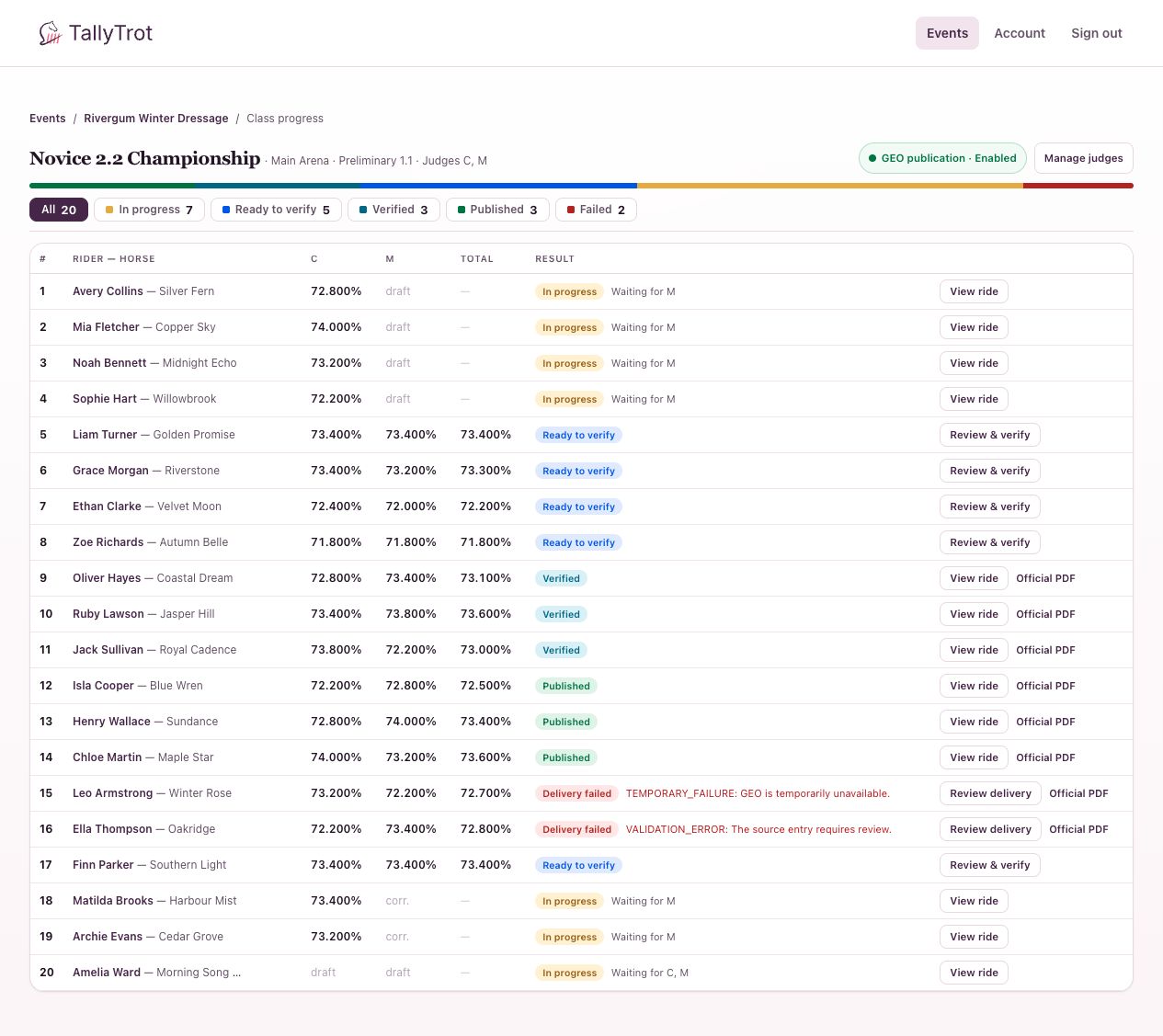
The summary in this fictional class shows:
- 20 rides in total;
- 7 in progress;
- 5 ready to verify;
- 3 verified;
- 3 published;
- 2 failed.
Use the filters
Select a status chip to focus the table:
- In progress: One or more judge sheets are incomplete.
- Ready to verify: Every required judge sheet is submitted.
- Verified: The scoring office has made the result official locally.
- Published: The verified result was delivered successfully.
- Failed: The local result is verified, but delivery needs attention.
Read a ride row
Each row shows the draw number, rider and horse, each judge's percentage or sheet state, cumulative total, result status, and next action.
Waiting for M means position C has submitted while position M is still outstanding. Review & verify opens a completed result. Review delivery opens the saved failure.
Withdrawn combinations remain identifiable in the table but should not be treated as active scoring work.
Competition-day routine
- Keep In progress open while the class is running.
- Follow up only with the position named in Waiting for.
- Move to Ready to verify as completed rides arrive.
- Check Failed after publication attempts.
- Do not infer that a result is published merely because it is verified.
Success state
No active rides remain unexpectedly in progress, every completed ride has been reviewed, and failed deliveries have an identified owner.
Previous: Score and submit a test · Next: Review and verify a result