View or download the official score sheet
The official PDF is available after a result has been verified. It contains the verified cumulative result and each submitted judge sheet.
Open the PDF controls
Open a verified, published, or delivery-failed ride.
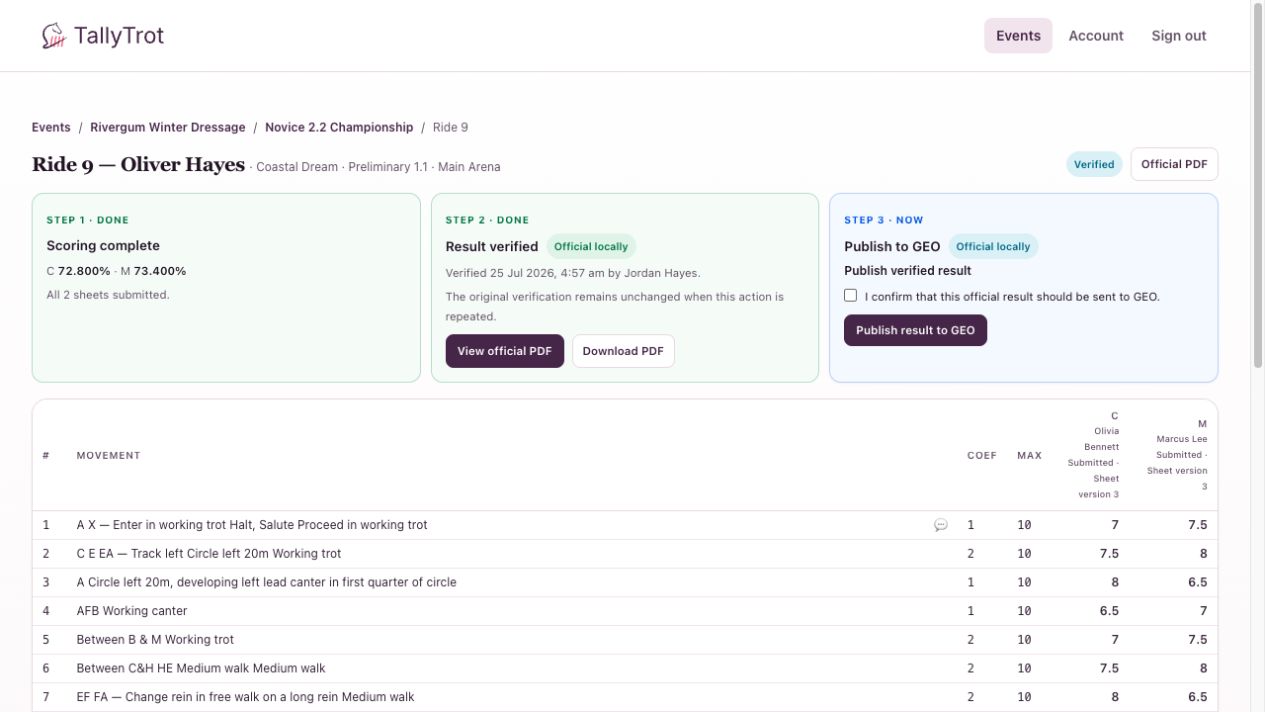
- View official PDF opens the document in the browser.
- Download PDF saves the same document as a file.
Both actions use the artifact associated with the current verification.
Read the score sheet
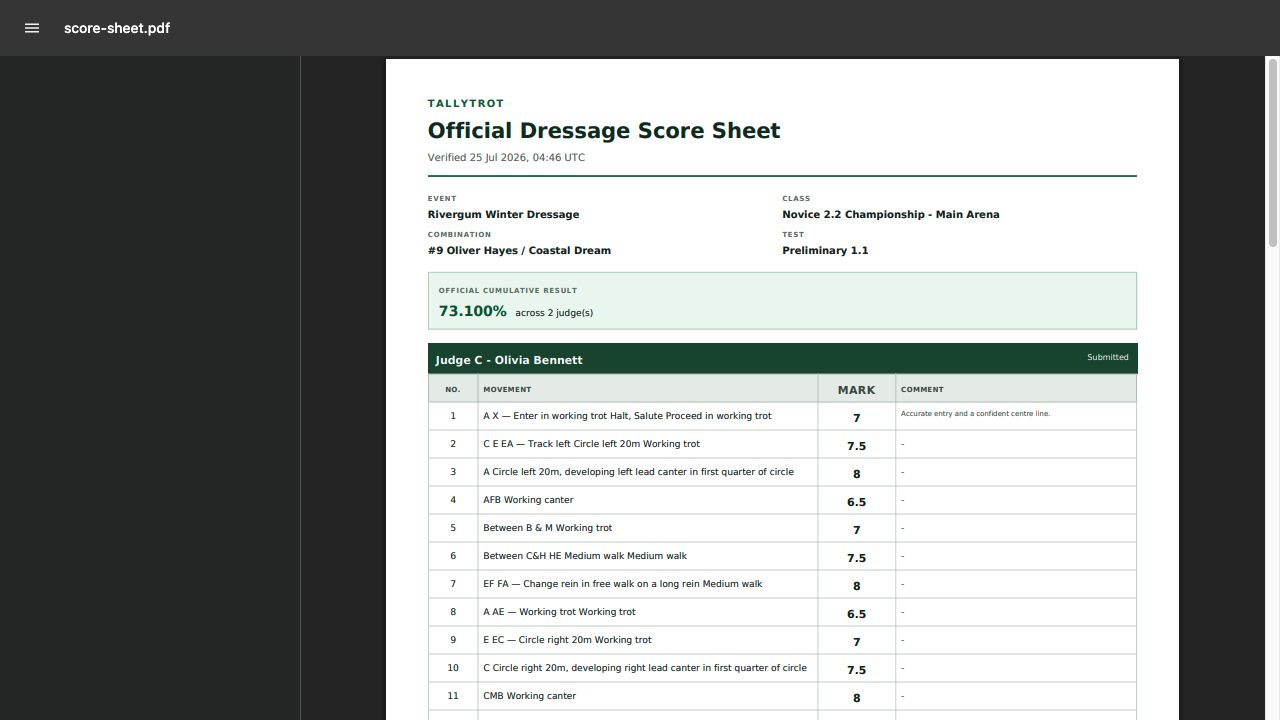
Confirm:
- event and class;
- rider, horse, and draw number;
- dressage test;
- verification timestamp;
- official cumulative percentage;
- every judge position, mark, and comment;
- deductions and totals.
Why the PDF may be unavailable
The official PDF does not exist before verification. If a submitted judge sheet is corrected later, TallyTrot invalidates the old verification and removes access to the historical artifact from the active ride.
Review and verify the corrected result to create a new official PDF.
Records handling
Download the document only when your event's record-keeping process requires it. Store exported score sheets in the approved event location and avoid sending them through unapproved personal channels.
Success state
The document opens with the expected event and combination, and the downloaded file matches the viewed official PDF.
Previous: Resolve a failed GEO delivery · Back to all help articles