Publish results to the live board and GEO
TallyTrot has two separate publication paths: provisional spectator results on the public live board and verified result delivery to GEO.
Configure the event gates
Open the event and select Publishing settings.
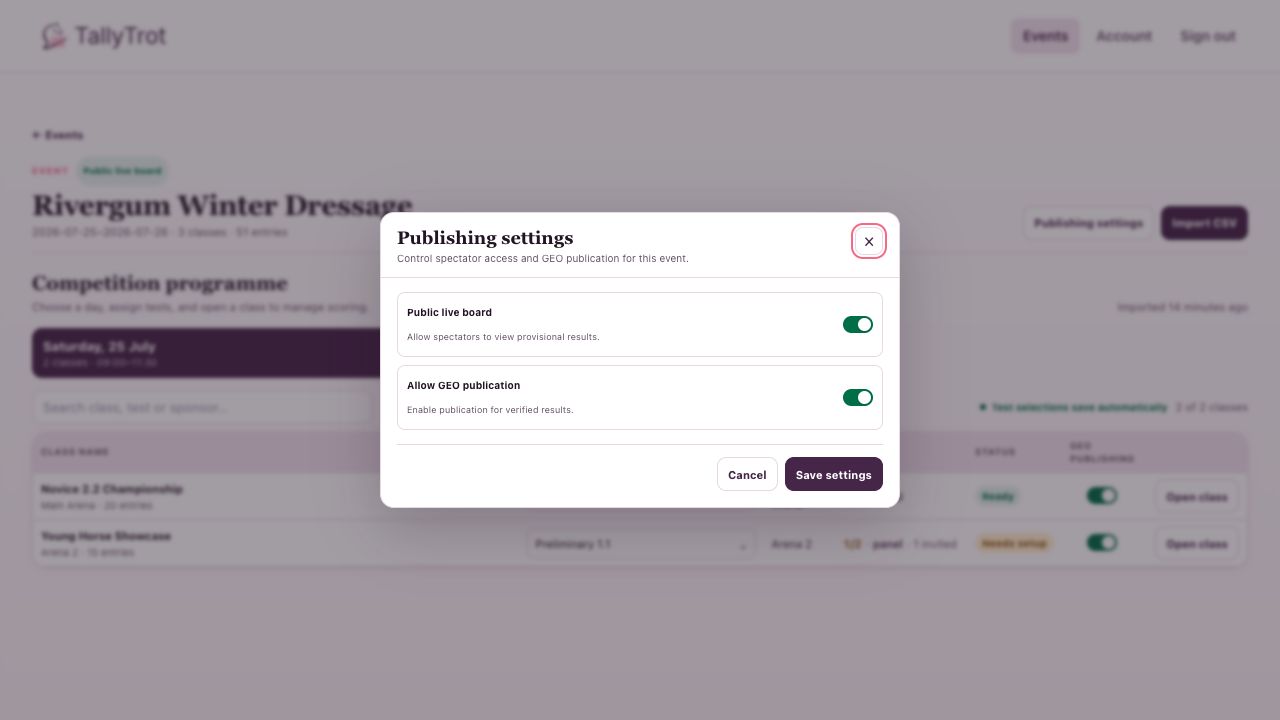
- Public live board exposes provisional progress to spectators.
- Allow GEO publication allows verified results to be delivered to GEO.
For GEO, the class-level GEO publishing switch must also be enabled.
Publish a verified result to GEO
Open a verified ride.
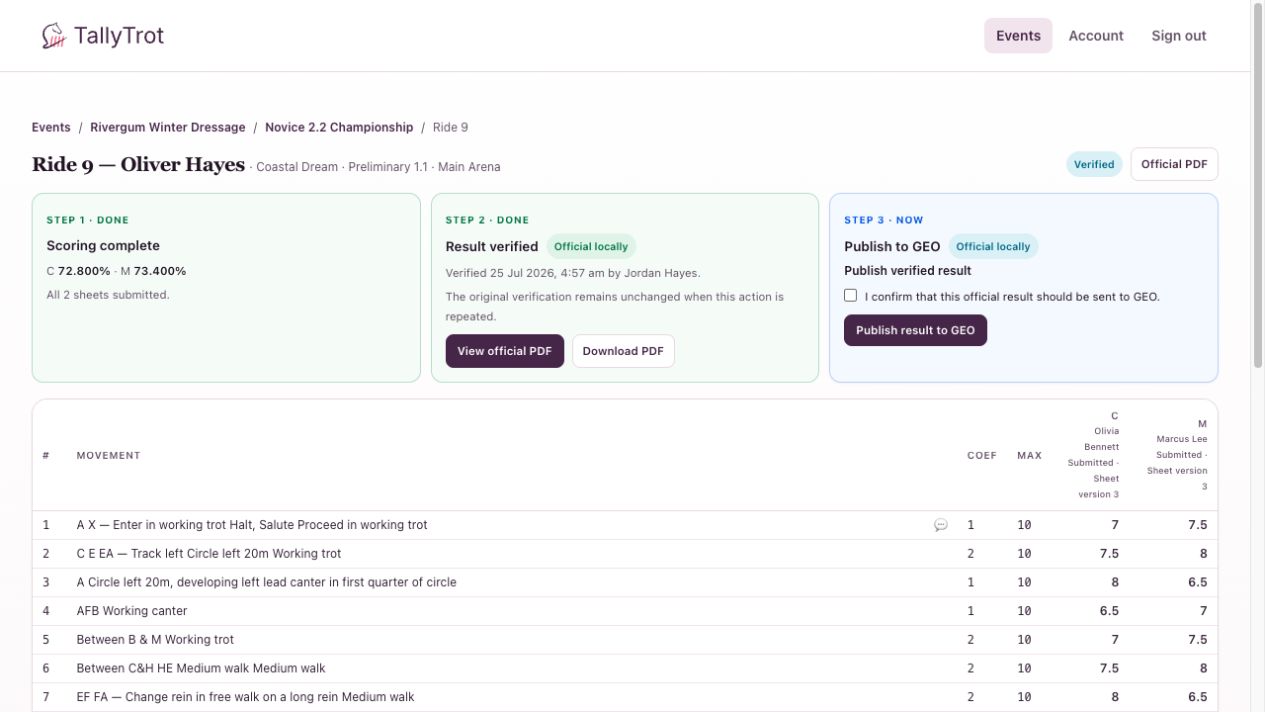
- Confirm that Step 2 shows Result verified.
- Review the marks and official cumulative score.
- Select I confirm that this official result should be sent to GEO.
- Select Publish result to GEO.
Do not publish a result simply to test the connection. The operation creates a durable publication identity.
Public live results
When the live board is enabled, the event appears on Live shows.
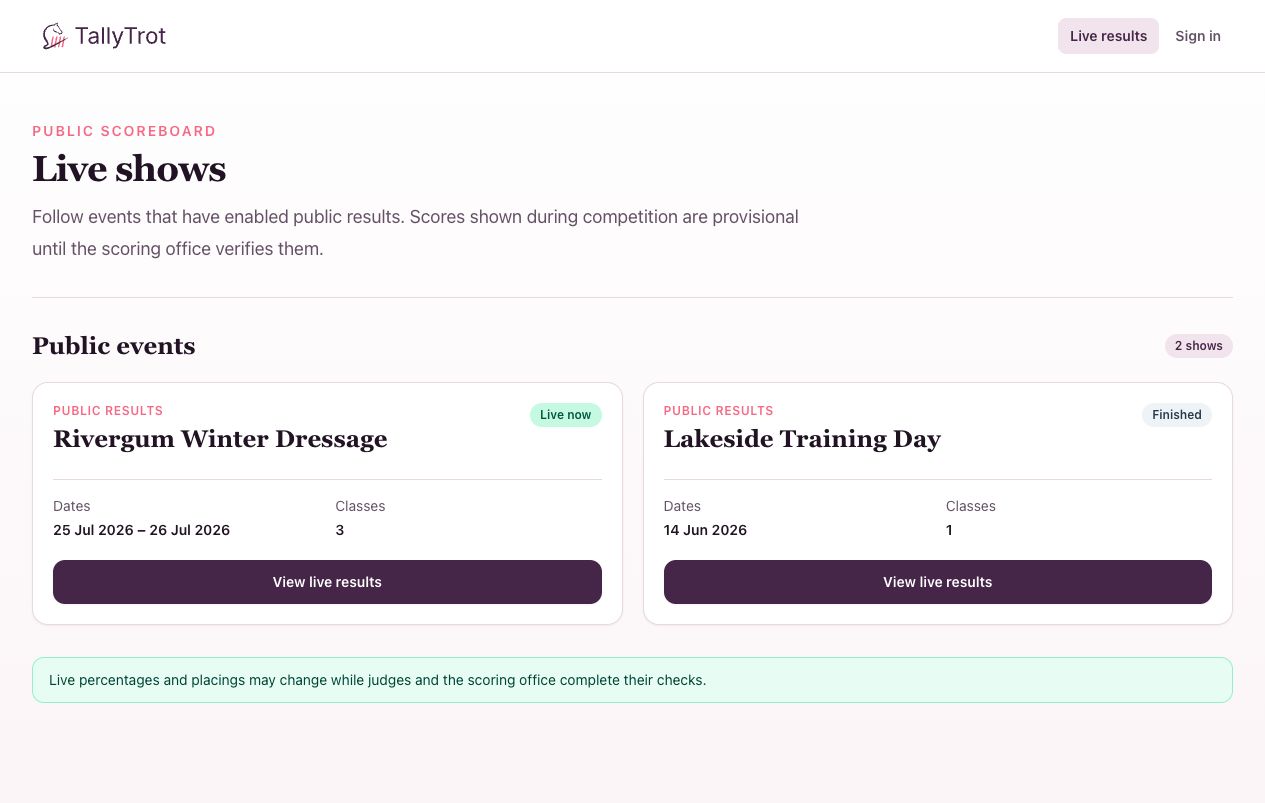
Spectators can open the event and see running marks without private judge comments or source-only data.
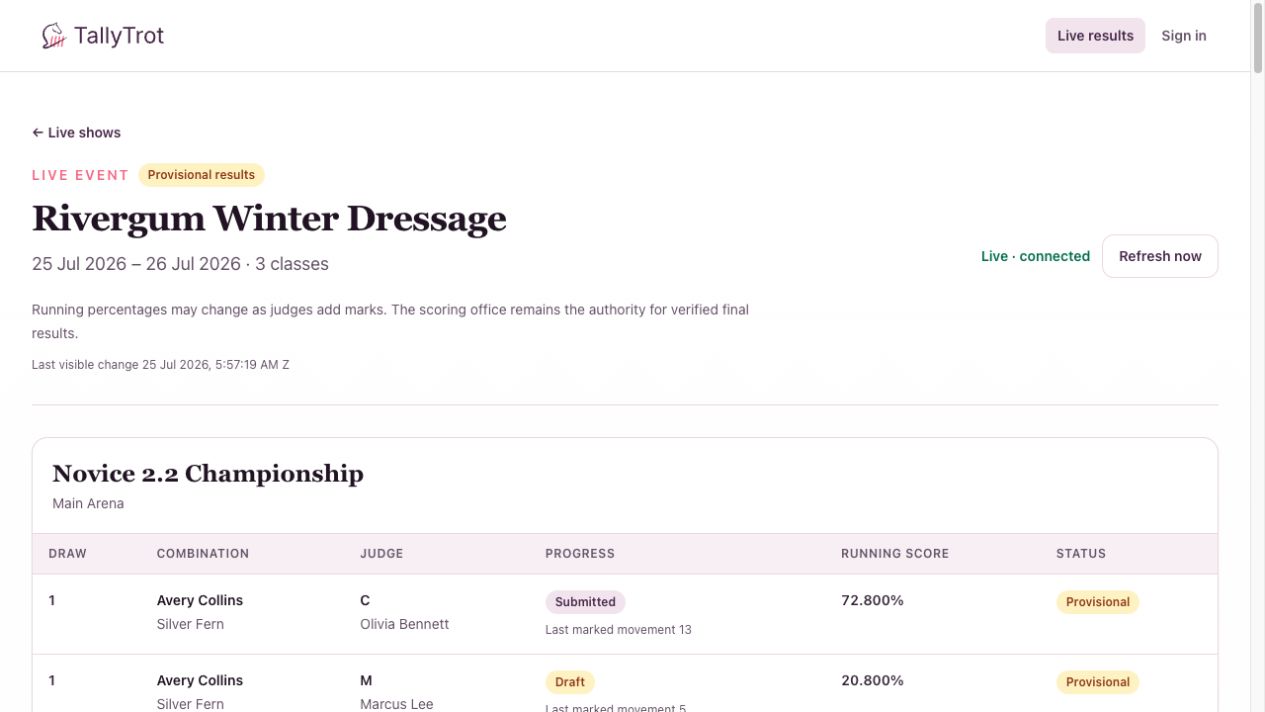
Live percentages may change as judges continue scoring. The scoring office remains the authority for verified final results.
Success state
- The live event is visible to guests when intended.
- A GEO publication shows Delivered, a receipt, and an attempt count.
- The class progress row changes to Published only after successful delivery.
Previous: Review and verify a result · Next: Correct a submitted score